Core, plugins and themes
Review visible component exposure, known risk signals, unnecessary endpoints and avoidable disclosure.
For WordPress business websites
LetsSecure reviews the exposed WordPress surface and approved account journeys, validates relevant evidence and turns the result into practical work for your developer.
WordPress-specific scope
Version exposure can matter, but it is only one signal. The audit considers how the site is configured, what it exposes publicly and how approved user journeys behave in the context of the agreed scope.
Review visible component exposure, known risk signals, unnecessary endpoints and avoidable disclosure.
Assess approved authentication flows, session behaviour and role boundaries using a dedicated temporary account where authorised.
Check relevant inputs and business-critical journeys without testing third-party services unless separately authorised.
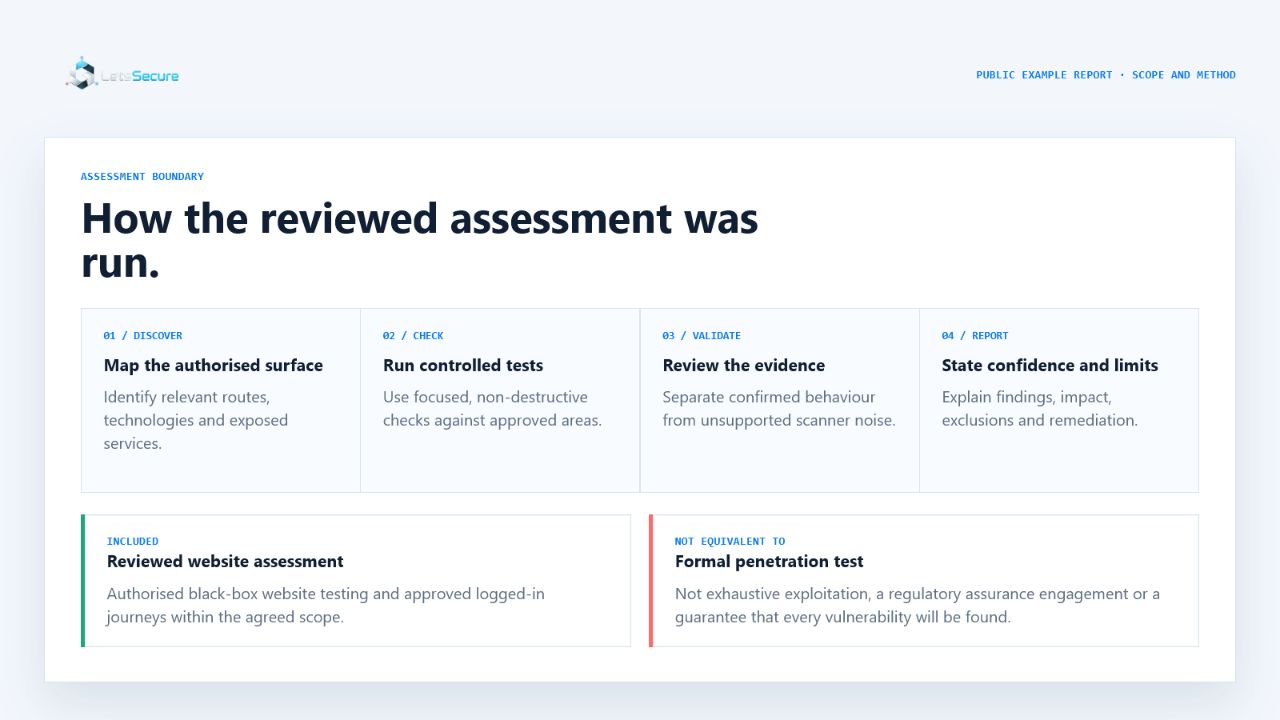
How the audit works
Testing remains within the WordPress website and systems you authorise in writing. Hosting control panels, payment providers and other third-party services are excluded without their owner’s separate written authorisation.
Evidence before advice
Representative WordPress scenario
The audit records the exposed component and affected path, checks whether the reported condition is relevant to the deployed site, and gives the developer a bounded update, configuration or replacement decision.
Fixed starting point
Add source-code testing for $99 when the code owner provides written authority. Monthly or annual Watch can follow the initial audit.
Start with one website
Choose a preferred date and confirm the website you are authorised to have assessed.